What is Microsoft 365: A complete guide for everyone
In a nutshell: What is Microsoft 365 - A complete guide for everyone
You've probably come across Microsoft 365 before, whether you're a student, professional, or business owner. But what exactly is Microsoft 365 and why would you need it? Here are a few of the Microsoft 365 packages available:
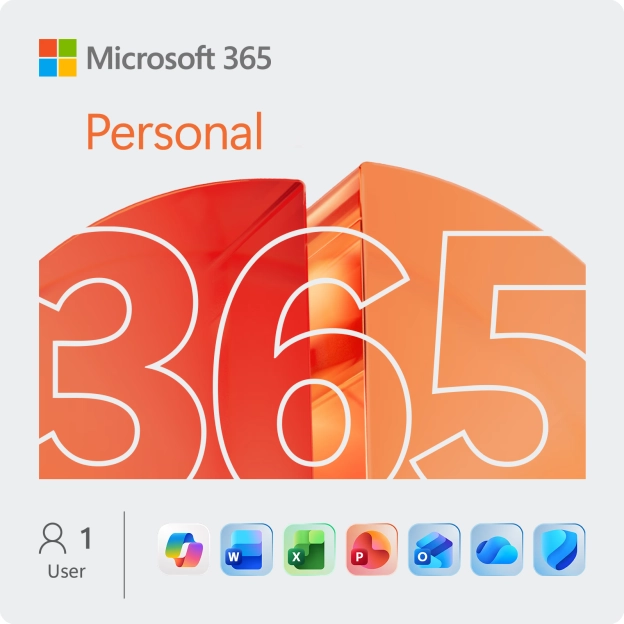
- For individual users: Microsoft 365 Personal Word, Excel, PowerPoint, OneNote, Outlook
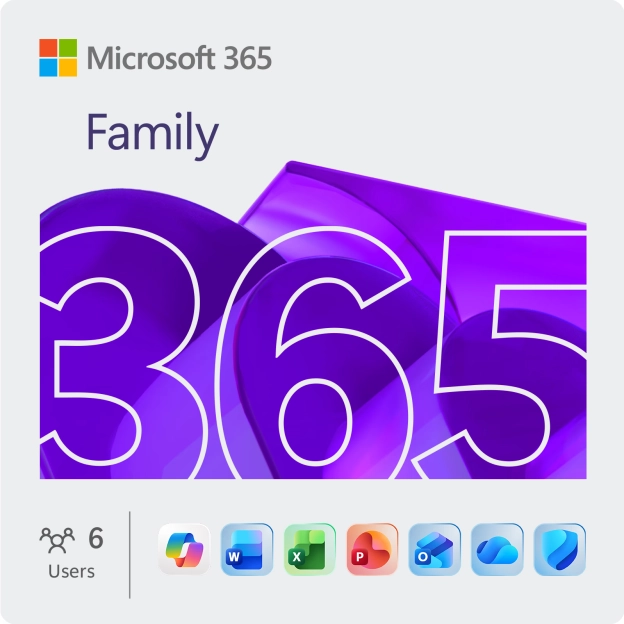
- For families (up to 6 users): Microsoft 365 Family Word, Excel, PowerPoint, OneNote, Outlook
- For small and medium-sized businesses: Microsoft 365 Business Standard Word, Excel, PowerPoint, OneNote, Outlook, Teams, Sharepoint, Exchange
In the article, we dive deep into what Microsoft 365 is, what apps are included, how you can use it, and why it's a must-have for you.
Nowadays,software is more than just a tool; it has become a part of our everyday livesand work. You may have had an encounter with Microsoft 365 whether you are astudent, professional or business owner. What exactly is Microsoft 365 and whydo you need it? In this article, we will provide a deep dive into what is Microsoft 365, the apps that come with it, how to use it and why it is a must-have for you.
What does Microsoft 365 mean?
Microsoft 365 was created by Microsoft as an all-in-one software package which includes several productivity apps and cloud-based services. It is an upgraded version of the traditional office suite but with added functionality. This enables you to access mainstream applications like Word, Excel PowerPoint among other applications as well as additional services such as OneDrive for file synchronization or Teams designed to foster teamwork or SharePoint which acts like document storage.
Why should you have Microsoft 365?
- Always Up-to-Date
Microsoft 365 always comes with new features and security patches. Hence, you will always be able to get the latest versions of the software without having to make any extra payments. Unlike Office 2021 packages (one-time purchases) where updates are not included in them, this is not so with this version. - Cloud-Based Versatility
OneDrive, Microsoft's cloud storage service is included in a subscription to Microsoft 365. By saving your files in this storage, you can have them securely kept and retrieve them from any place. It provides great flexibility and simplifies team-work. - Value for Money
Microsoft 365 gives much better value than other Office packages. You are provided with a multitude of tools that greatly improve productivity for a fixed monthly or annual fee, and constant updates are made available to them. - Collaboration
With collaboration either on the go or with multi-device support on Microsoft 365, teams can work together effortlessly in real-time using any device or host video meetings like webinars where up to 300 participants may join in Teams.
Top Applications, in Microsoft 365
Within Microsoft 365 you'll find a variety of applications tailored to assist with tasks and processes. Here are some of the applications you can anticipate;
1. Microsoft Word
Known as the go to for word processing Microsoft Word offers all the tools for crafting essays, composing reports or jotting down notes to give your documents a polished look.

2. Microsoft Excel
Excel stands out as a tool for organizing and analyzing data catering to everything from budgeting tasks to intricate financial analyses by providing a wide range of options for data examination, charts and tables.

3. Microsoft PowerPoint
Ideal for creating presentations PowerPoint comes equipped with an array of templates and design features that make it simple to design captivating and persuasive slideshows.

4. Microsoft Outlook
Combining email services with calendars, contacts and task management functionalities into one application Outlook is a tool for individuals looking to manage their schedules and keep themselves organized.

5. Microsoft Teams
Functioning as a platform that integrates chat features, virtual meetings, file sharing capabilities along with apps in one central location; Teams proves beneficial, for fostering personal and professional collaborations alike—particularly during periods of remote work.

How to Use Microsoft 365?
The good thing about Microsoft 365 is that it’s changeable and reachable. This software can be used on diverse devices such as PCs, Macs, tablets as well as smart phones. Therefore, the files and apps are always with you irrespective of wherever you may be provided there is internet connection.
Installation and User Experience
Activating and installing Microsoft 365 is simple and quick. After purchasing a license through 2GO Software, you receive product code along with step by step instructions. Just go through the steps to activate the software in your Microsoft account and install it on your device. That being done, sign into your Microsoft account after installation then start using all the applications without delay.
You could also opt for our specialists taking care of the activation and installation for you; meaning that you can relax while we do all these processes. For this we make our free installation service available.
Thanks to its clear user interface, Microsoft 365 has become user-friendly. If you have previously used any version of Microsoft Office or if this is your first time ever to use it, soon enough you’ll find out what to do. Since all applications get fused together nicely, changing between different programs becomes easy hence streamlining one’s work process.
Are you looking to purchase Microsoft 365?
Look no further than 2GO Software, where buying the perfect software solution is not just easy—it's smart. At 2GO Software, we offer a range of Microsoft 365 packages tailored to fit your unique needs and budget, ensuring you get the best value for your money. Our licenses are 100% legitimate, giving you peace of mind that you're purchasing from a trusted source.
What sets us apart?
We’re not just about selling software; we’re about solving problems. With 2GO Software, you’re not just buying a product—you’re getting access to expert customer service, a free installation service, and a money-back guarantee if you’re not completely satisfied. We have already received more than 31000 reviews with an average of 4.9 stars. In total, we have over half a million customers, so you can buy with confidence, knowing you are in good hands.
Plus, with our exclusive offers and discounts, you might just save more than you expected. Don’t settle for less—choose 2GO Software for your Microsoft 365 purchase and experience software done right.
| Included Apps | Ideal for | |
| Microsoft 365 Personal | Word, Excel, PowerPoint, OneNote, Outlook | Individual users | |
| Microsoft 365 Family | Word, Excel, PowerPoint, OneNote, Outlook | Families (up to 6 users) | |
| Microsoft 365 Business Standard | Word, Excel, PowerPoint, OneNote, Outlook, Teams, SharePoint, Exchange | Small and medium-sized businesses |
Conclusion
Microsoft 365 is much more than just a collection of Office apps. It's a complete productivity suite designed to help you work, collaborate, and communicate, wherever you are. Whether you're a student, home user, or business, Microsoft 365 provides all the tools you need to succeed in today's digital world. Don't wait any longer and discover what Microsoft 365 can do for you by purchasing your licence today through 2GO Software.